Maximize Customer Support Efficiency: Using Zingtree with Salesforce for Real-Time Guided Workflows

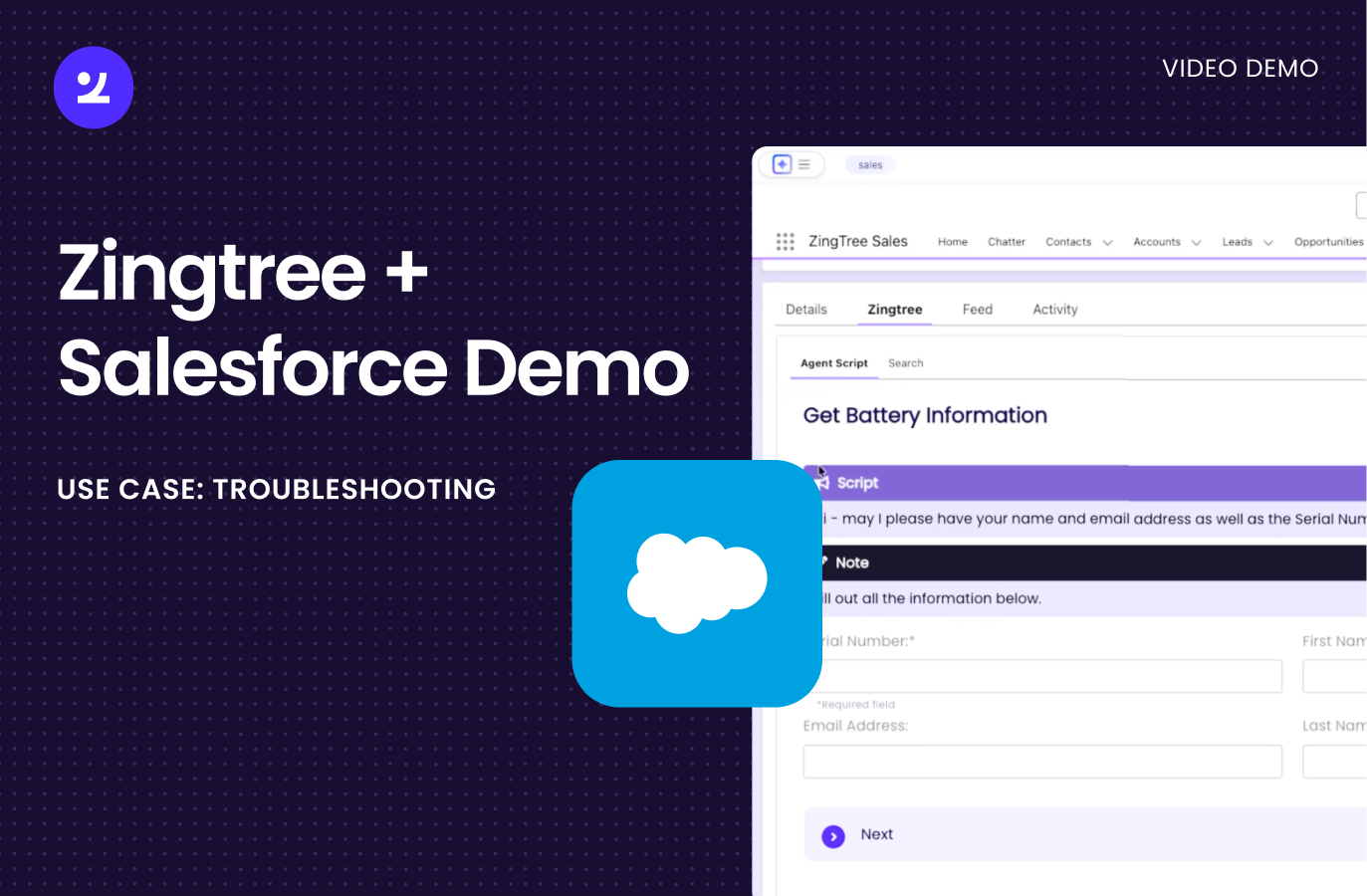
Watch this Salesforce demo to see Zingtree guide agents in-case, auto-update fields, pull live API context, and generate case notes automatically.

10 min read
Back to Blog

Maximize Customer Support Efficiency: Using Zingtree with Salesforce for Real-Time Guided Workflows

Modern customer support teams face mounting pressure to resolve cases faster while maintaining quality. The solution lies in intelligent workflow automation that guides agents through complex processes while seamlessly integrating with existing systems.Zingtree's native Salesforce integration delivers exactly this capability, transforming how support teams handle customer inquiries through real-time guided workflows that update records automatically.

Native Salesforce Integration Through AppExchange

Zingtree is available directly through the Salesforce AppExchange as a native component. This means you can embed interactive decision trees and guided workflows anywhere within your Salesforce page layouts.

The flexibility is significant. While many organizations choose to add Zingtree as a tab in the left-hand navigation, you can position it wherever makes sense for your team's workflow. The component adapts to your existing Salesforce configuration rather than forcing you to redesign your interface.

Bidirectional Data Flow Eliminates Manual Entry

The true power of this integration lies in its bidirectional data exchange. Information flows seamlessly in both directions between Zingtree workflows and Salesforce records.

From Salesforce to Zingtree:

  • Pull existing record data to prepopulate workflow fields
  • Use customer information to create conditional logic
  • Route workflows based on case details or customer attributes

From Zingtree to Salesforce:

  • Update record fields automatically as agents progress through workflows
  • Capture new information without manual data entry
  • Maintain accurate, real-time records throughout the support process

This eliminates the frustrating back-and-forth that typically slows down support interactions.

Real-World Workflow Example: Battery Troubleshooting

Consider a practical scenario where a support agent handles a battery troubleshooting case. The workflow demonstrates how Zingtree streamlines the entire process.

Initially, the Salesforce case record shows empty fields for web email, supplied email, and type. As the agent launches the Zingtree workflow, they're prompted to collect essential information including serial number, customer name, and email.

As soon as this information is entered into the workflow, Zingtree automatically updates the corresponding Salesforce fields. No separate data entry required.

Third-Party API Integration for Enhanced Context

Beyond basic field mapping, Zingtree can make API calls to external systems during the workflow. In the battery troubleshooting example, entering a serial number triggers an automatic API call to a third-party system that retrieves detailed product information.

This real-time data retrieval provides agents with immediate context:

  • Product specifications
  • Warranty status
  • Purchase history
  • Known issues for specific models

The agent can verify this information with the customer before proceeding to troubleshooting steps, ensuring they're working with accurate data.

Flexible Field Mapping Across Any Salesforce Object

The integration supports mapping to any standard or custom field in Salesforce. While the demonstration updates three specific fields (web email, supplied name, and type), you have complete control over which fields receive data from your workflows.

This flexibility means you can:

  • Map to case fields, contact fields, or custom objects
  • Update multiple records simultaneously
  • Trigger Salesforce automation based on workflow completion
  • Maintain data consistency across your entire Salesforce org

Intelligent Troubleshooting with Complex Logic

Zingtree workflows support sophisticated conditional logic that guides agents to the right resolution path. Rather than relying on agent memory or searching through knowledge bases, the workflow presents relevant questions based on previous answers.

The troubleshooting flow might ask:

  • Did the initial solution resolve the issue?
  • Can the customer perform a specific diagnostic step?
  • Are there any error messages displayed?

Each answer dynamically determines the next question or action, ensuring agents follow the optimal path to resolution.

AI-Powered Case Notes Generation

One of the most time-consuming aspects of customer support is documenting interactions. Zingtree addresses this with AI Actions nodes that automatically generate case notes based on the workflow session.

You maintain full control over the output:

  • Determine note length and format
  • Specify which information to include
  • Customize tone and structure
  • Define where notes are stored in Salesforce

These AI-generated notes capture the complete support interaction without requiring agents to type summaries manually. The notes are automatically added to the Salesforce record, creating a comprehensive audit trail.

Streamlined Agent Experience

From the agent's perspective, the workflow creates a single, unified interface. They don't need to switch between multiple systems or remember complex procedures.

The typical flow looks like this:

  1. Open the Salesforce case
  2. Launch the relevant Zingtree workflow from the embedded tab
  3. Follow the guided questions and actions
  4. Watch as Salesforce fields update automatically
  5. Complete the workflow with AI-generated notes already documented

This streamlined experience reduces training time for new agents and ensures consistency across your support team.

Implementation Flexibility

Because Zingtree functions as a standard Salesforce component, implementation follows familiar patterns for Salesforce administrators. You can:

  • Add the component through standard page layout configuration
  • Control visibility with profiles and permission sets
  • Embed workflows in Lightning pages, console apps, or classic layouts
  • Deploy across different objects (Cases, Accounts, Opportunities, custom objects)

No specialized development resources are required for basic implementation, though the platform supports advanced customization when needed.

Measuring Impact on Support Efficiency

The combination of guided workflows, automatic data updates, and AI-generated documentation delivers measurable efficiency gains:

  • Reduced average handle time through streamlined processes
  • Improved first-contact resolution with consistent troubleshooting paths
  • Decreased after-call work with automated note generation
  • Enhanced data quality through real-time field updates
  • Faster onboarding for new support agents

These improvements translate directly to cost savings and better customer experiences.

Getting Started with Zingtree for Salesforce

The integration is available immediately through the Salesforce AppExchange. Organizations can install the component and begin building guided workflows that transform their support operations.

The platform accommodates teams at any maturity level, from simple decision trees to complex workflows with API integrations, conditional logic, and AI-powered automation.

By embedding intelligent workflows directly into Salesforce, Zingtree eliminates the friction that typically exists between support processes and CRM systems. Agents get the guidance they need while Salesforce maintains the accurate, complete records that drive business intelligence.

The result is a support operation that scales efficiently without sacrificing quality or customer satisfaction.
Maximize Customer Support Efficiency: Using Zingtree with Salesforce for Real-Time Guided Workflows

Modern customer support teams face mounting pressure to resolve cases faster while maintaining quality. The solution lies in intelligent workflow automation that guides agents through complex processes while seamlessly integrating with existing systems.Zingtree's native Salesforce integration delivers exactly this capability, transforming how support teams handle customer inquiries through real-time guided workflows that update records automatically.

Native Salesforce Integration Through AppExchange

Zingtree is available directly through the Salesforce AppExchange as a native component. This means you can embed interactive decision trees and guided workflows anywhere within your Salesforce page layouts.

The flexibility is significant. While many organizations choose to add Zingtree as a tab in the left-hand navigation, you can position it wherever makes sense for your team's workflow. The component adapts to your existing Salesforce configuration rather than forcing you to redesign your interface.

Bidirectional Data Flow Eliminates Manual Entry

The true power of this integration lies in its bidirectional data exchange. Information flows seamlessly in both directions between Zingtree workflows and Salesforce records.

From Salesforce to Zingtree:

  • Pull existing record data to prepopulate workflow fields
  • Use customer information to create conditional logic
  • Route workflows based on case details or customer attributes

From Zingtree to Salesforce:

  • Update record fields automatically as agents progress through workflows
  • Capture new information without manual data entry
  • Maintain accurate, real-time records throughout the support process

This eliminates the frustrating back-and-forth that typically slows down support interactions.

Real-World Workflow Example: Battery Troubleshooting

Consider a practical scenario where a support agent handles a battery troubleshooting case. The workflow demonstrates how Zingtree streamlines the entire process.

Initially, the Salesforce case record shows empty fields for web email, supplied email, and type. As the agent launches the Zingtree workflow, they're prompted to collect essential information including serial number, customer name, and email.

As soon as this information is entered into the workflow, Zingtree automatically updates the corresponding Salesforce fields. No separate data entry required.

Third-Party API Integration for Enhanced Context

Beyond basic field mapping, Zingtree can make API calls to external systems during the workflow. In the battery troubleshooting example, entering a serial number triggers an automatic API call to a third-party system that retrieves detailed product information.

This real-time data retrieval provides agents with immediate context:

  • Product specifications
  • Warranty status
  • Purchase history
  • Known issues for specific models

The agent can verify this information with the customer before proceeding to troubleshooting steps, ensuring they're working with accurate data.

Flexible Field Mapping Across Any Salesforce Object

The integration supports mapping to any standard or custom field in Salesforce. While the demonstration updates three specific fields (web email, supplied name, and type), you have complete control over which fields receive data from your workflows.

This flexibility means you can:

  • Map to case fields, contact fields, or custom objects
  • Update multiple records simultaneously
  • Trigger Salesforce automation based on workflow completion
  • Maintain data consistency across your entire Salesforce org

Intelligent Troubleshooting with Complex Logic

Zingtree workflows support sophisticated conditional logic that guides agents to the right resolution path. Rather than relying on agent memory or searching through knowledge bases, the workflow presents relevant questions based on previous answers.

The troubleshooting flow might ask:

  • Did the initial solution resolve the issue?
  • Can the customer perform a specific diagnostic step?
  • Are there any error messages displayed?

Each answer dynamically determines the next question or action, ensuring agents follow the optimal path to resolution.

AI-Powered Case Notes Generation

One of the most time-consuming aspects of customer support is documenting interactions. Zingtree addresses this with AI Actions nodes that automatically generate case notes based on the workflow session.

You maintain full control over the output:

  • Determine note length and format
  • Specify which information to include
  • Customize tone and structure
  • Define where notes are stored in Salesforce

These AI-generated notes capture the complete support interaction without requiring agents to type summaries manually. The notes are automatically added to the Salesforce record, creating a comprehensive audit trail.

Streamlined Agent Experience

From the agent's perspective, the workflow creates a single, unified interface. They don't need to switch between multiple systems or remember complex procedures.

The typical flow looks like this:

  1. Open the Salesforce case
  2. Launch the relevant Zingtree workflow from the embedded tab
  3. Follow the guided questions and actions
  4. Watch as Salesforce fields update automatically
  5. Complete the workflow with AI-generated notes already documented

This streamlined experience reduces training time for new agents and ensures consistency across your support team.

Implementation Flexibility

Because Zingtree functions as a standard Salesforce component, implementation follows familiar patterns for Salesforce administrators. You can:

  • Add the component through standard page layout configuration
  • Control visibility with profiles and permission sets
  • Embed workflows in Lightning pages, console apps, or classic layouts
  • Deploy across different objects (Cases, Accounts, Opportunities, custom objects)

No specialized development resources are required for basic implementation, though the platform supports advanced customization when needed.

Measuring Impact on Support Efficiency

The combination of guided workflows, automatic data updates, and AI-generated documentation delivers measurable efficiency gains:

  • Reduced average handle time through streamlined processes
  • Improved first-contact resolution with consistent troubleshooting paths
  • Decreased after-call work with automated note generation
  • Enhanced data quality through real-time field updates
  • Faster onboarding for new support agents

These improvements translate directly to cost savings and better customer experiences.

Getting Started with Zingtree for Salesforce

The integration is available immediately through the Salesforce AppExchange. Organizations can install the component and begin building guided workflows that transform their support operations.

The platform accommodates teams at any maturity level, from simple decision trees to complex workflows with API integrations, conditional logic, and AI-powered automation.

By embedding intelligent workflows directly into Salesforce, Zingtree eliminates the friction that typically exists between support processes and CRM systems. Agents get the guidance they need while Salesforce maintains the accurate, complete records that drive business intelligence.

The result is a support operation that scales efficiently without sacrificing quality or customer satisfaction.